A logo is maybe a tenth of what makes a small business look like one coherent business. The rest is the stuff nobody notices until it’s off: the same shade on the flyer and the Instagram post, one font family, a voice that sounds like the owner instead of a brochure. I’ve seen shops pay for a polished logo and then post three clashing styles in the same week.
So this list is built around the whole identity. Logo, colors and fonts, voice, and then the weekly grind of putting it on social posts, flyers and email. Prices come from each company’s own site as of October 2026. They shift, so check before you buy.
Which AI Tools Cover the Whole Brand, Not Just the Logo?
1. PosterMyWall
I use PosterMyWall for the unglamorous part of branding, the part that happens every single week. Start with the AI Logo Generator: pick a template, adjust style and colors, then add text and icons, then download. It’s template-led, so expect to tweak rather than get fifty wild concepts. Transparent versions come from the AI background remover, handy when the logo has to sit on a dark banner.
The real value is what comes next. Brand Kits store your colors, logos and fonts so every new design starts on-brand. Templates exist for pretty much every channel, from social posts and flyers to email and video, and one-click resize turns a flyer into a story without rebuilding it. Honestly, that resize button saved me an afternoon the first time I used it, which is not nothing. The AI Writer drafts captions and email subject lines you can then bend toward your voice. You can publish to social accounts or schedule them from the same screen.
Pricing: a free plan exists, with limited downloads. Premium is $13 a month on the official pricing page (yearly billing saves 30%), and includes a Brand Kit, custom fonts, unlimited high-quality downloads, three connected social accounts and 3,000 email sends monthly. Premium Plus is $30 and adds unlimited Brand Kits.
Pros: logo to flyer in one tab, quick for non-designers. Cons: no formal brand guidelines document, and monthly credits cap the heavier AI work.
2. Looka
Looka is the logo-first option that grew a brand system around itself. Making logos is free; you pay when you download. Its blog lists a $20 Basic package (a PNG) and a $65 high-resolution one (PNG, EPS, SVG and PDF).
The Brand Kit is the part that matters here. It builds 300+ templates from your logo, colors and fonts: everything from social posts to invoices. Looka’s help page prices it at $96 a year, or $129 with a website.
Pros: sharp logo variety, a proper kit. Cons: nothing for writing, and it leans on print and static assets more than campaigns or email.
3. Tailor Brands
Tailor Brands generates a logo from your business details, and you can make one free and download a low-resolution file. A vector file costs money. After that you get a brand book and letterheads, along with business cards and 21 resized social versions of the logo.
Pricing is the murky bit. The pricing page I could verify is built around LLC formation. The Elite plan, $249 a year plus state fees, includes eight logos and a domain, plus a DIY website and a social post maker. I couldn’t confirm logo-only prices, so look at checkout.
Pros: lots of extras. Cons: bundling with business-formation services you may not want, plus unclear costs.
4. ChatGPT
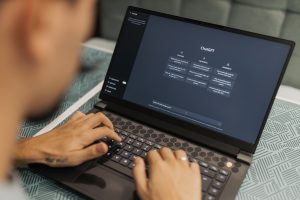
ChatGPT won’t lay out your menu, but it handles the thinking: business names, taglines, a one-page voice guide (“warm, plain-spoken, never salesy”), a month of captions, even image concepts. Paste the voice guide into every chat, or save it in a project or custom GPT on paid tiers.
It has a free tier. Plus is $20 a month per OpenAI’s help page. Go sits below it; I couldn’t verify its price.
Pros: it’s the strongest voice and messaging help here. Cons: no brand kit, no layouts, so you still need a design tool, and the output needs your edits to avoid sounding generic.
5. Wix Logo Maker
Wix lets you generate logos from a prompt or a few questions, then edit colors and fonts, then icons and layout. There’s a tagline generator, and a brand theme carries your logo’s colors and fonts into other Wixel designs. Downloads include SVG, PNG and JPG, with transparent options.
It’s free to create and download, but AI actions burn credits: the free Wixel plan gives 120 a month, capped at 30 a day. Paid Wixel plans run $90 a year (Basic), $290 (Pro) and $590 (Max).
Pros: easy and fast, nice if your site is on Wix. Cons: the credits drain quickly, and the brand theme is lighter than a full kit.
Benefits and Drawbacks at a Glance
| Tool | Benefits | Drawbacks | Starting price |
|---|---|---|---|
| PosterMyWall | Brand Kits, templates for every channel, AI Writer, scheduling | No guidelines document, credit limits | Free; Premium $13/month |
| Looka | Strong logos, 300+ branded templates | No copywriting, light on email | Logo free to make; $20 download; Brand Kit $96/year |
| Tailor Brands | Brand book, 21 social logo sizes | Murky pricing, LLC bundling | Free low-res logo; paid tiers unverified |
| ChatGPT | Names, taglines, voice, captions | No design or brand kit | Free; Plus $20/month |
| Wix Logo Maker | Free logo, brand theme, tagline tool | Credits run out quickly | Free; Wixel Basic $90/year |
How to Choose
Be honest about where your week goes. If it’s weekly posts, flyers and promos, PosterMyWall earns its keep. If you want a polished identity package first, Looka or Tailor Brands. If you can’t write in your own voice, ChatGPT. A cheap, workable combo: ChatGPT for the words, one design tool for everything visual.
Frequently Asked Questions (FAQs)
1. Can ChatGPT replace a brand designer?
No. It’s very good at voice, naming and copy, but it doesn’t hold your colors and fonts across files. Pair it with a design tool.
2. Do I need a paid plan to build a consistent brand?
Not at the start. You can sketch a logo free on several of these. A paid plan pays off once you’re making designs weekly, since PosterMyWall’s Brand Kit starts with Premium.
3. How many colors and fonts should a small business use?
Two or three colors, plus two fonts: one for headings, one for body text. Fewer choices means faster, more consistent posts.
Build the Brand Once, Reuse It Daily
Branding isn’t a project you finish. It’s a set of choices you apply a hundred times. Settle the logo, colors, fonts and voice once, then let your tools do the repetition. If you want a free first step, try the AI Logo Generator and build outward from there.